Useful Information
Disable Include cutout objects
依照 outline,可在載入 .brd file 前 disable 下列 option,如此 outline 將被忽略。請嘗試看看;若有任何問題再提出。
Tool→Option→Translator。- Disable
Include cutout objects。
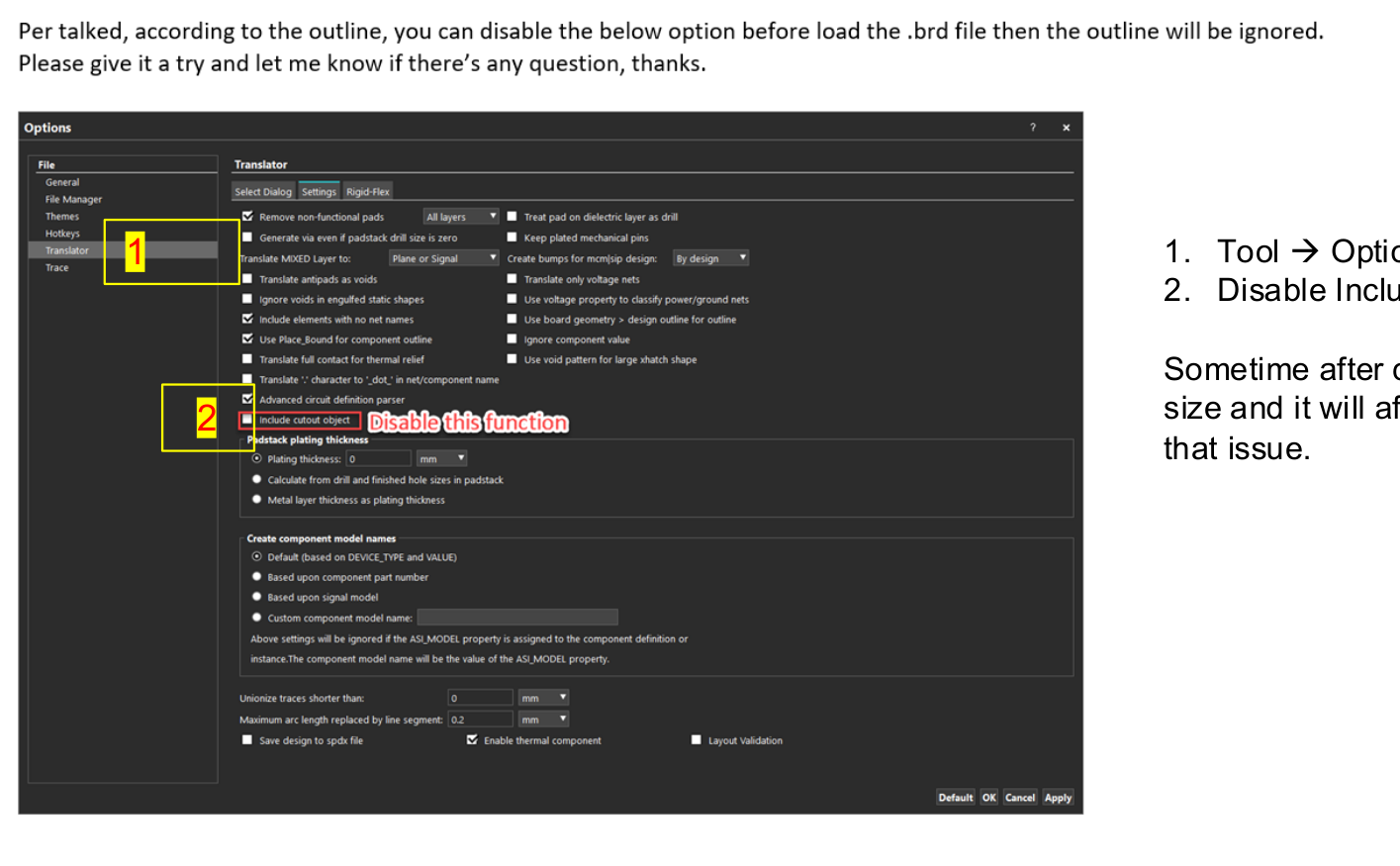
有時 cut board 後,outline 仍會維持原 board size,進而影響 simulation time。此設定可處理這個問題。
How to add capacitors to library based on S-parameters
- Launch
Analysis Model Manager。
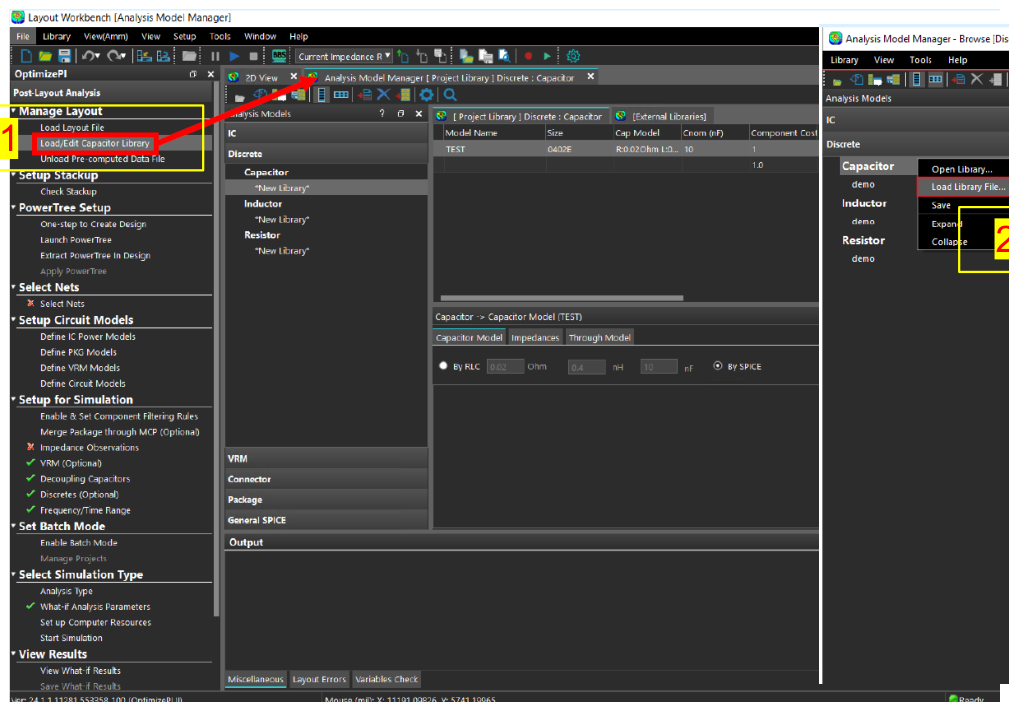
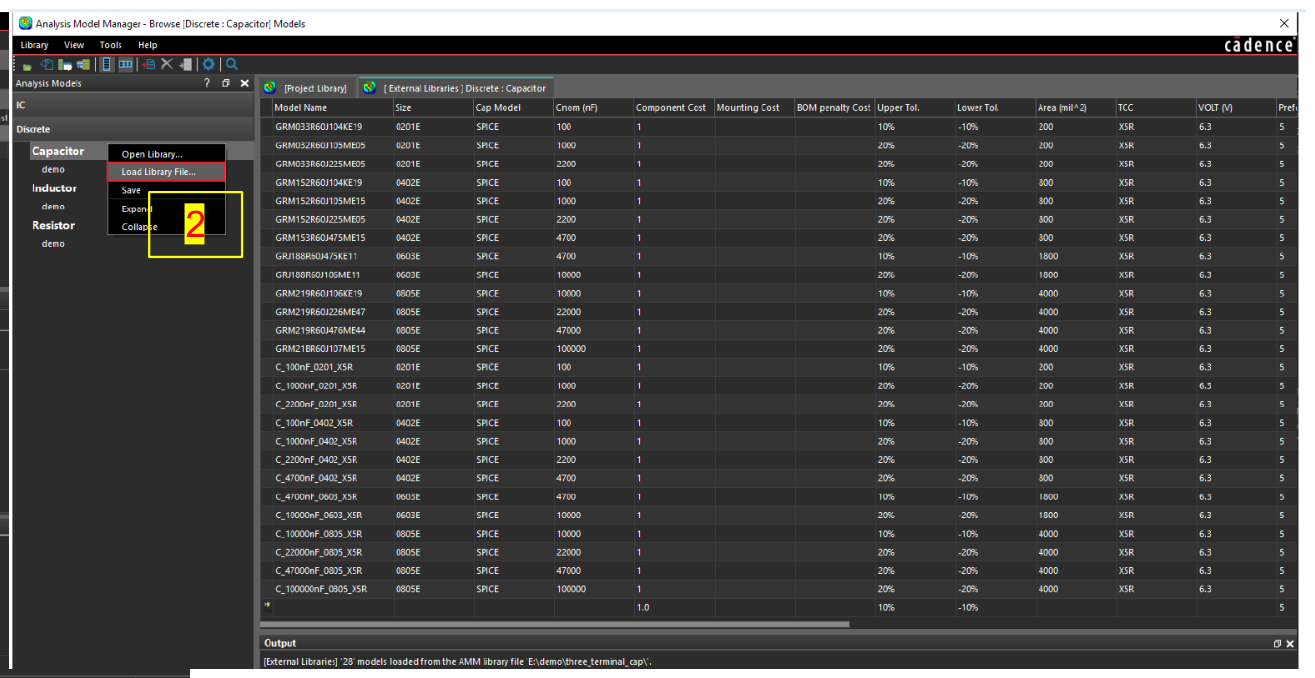
- 若要使用
.amm或.xml,請 load library file。
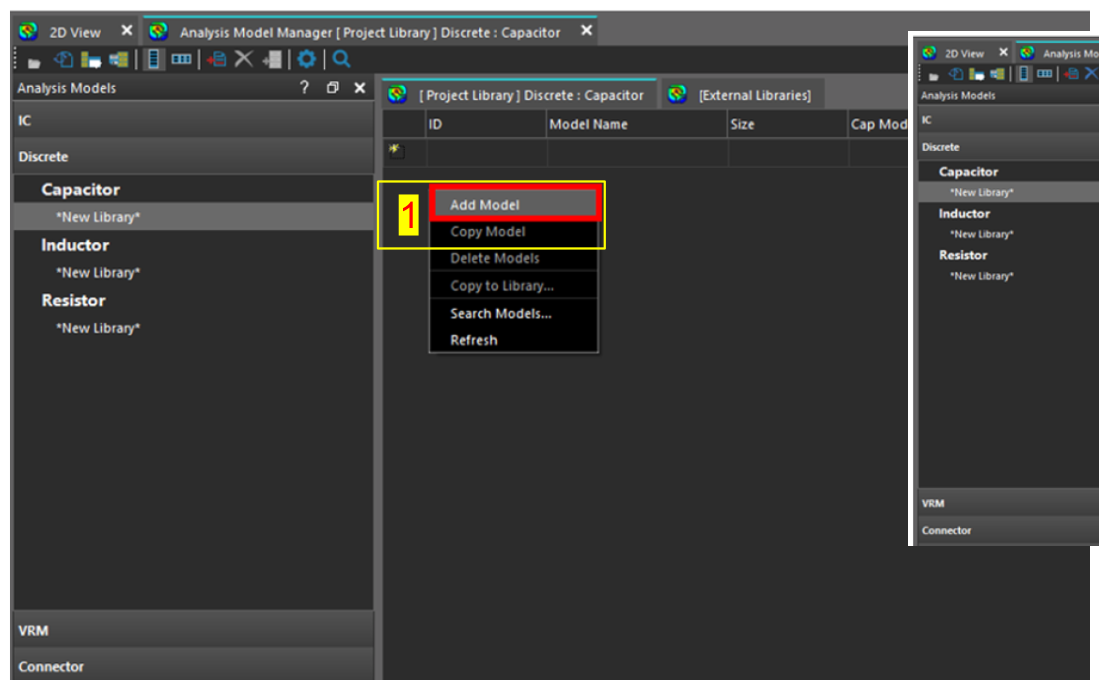
- 若不使用
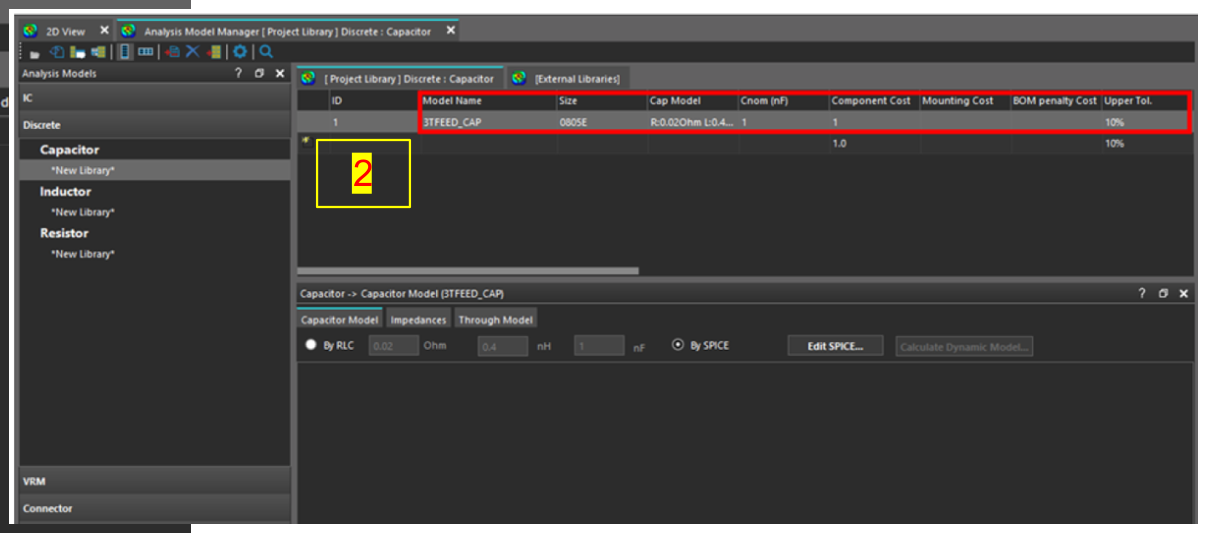
.amm或.xml,可直接新增 model。在[Project Library]的Discrete: Capacitortab 中,right-click 並選擇Add Model。
- 依圖示指定
Model Name、Size與其他 parameters。
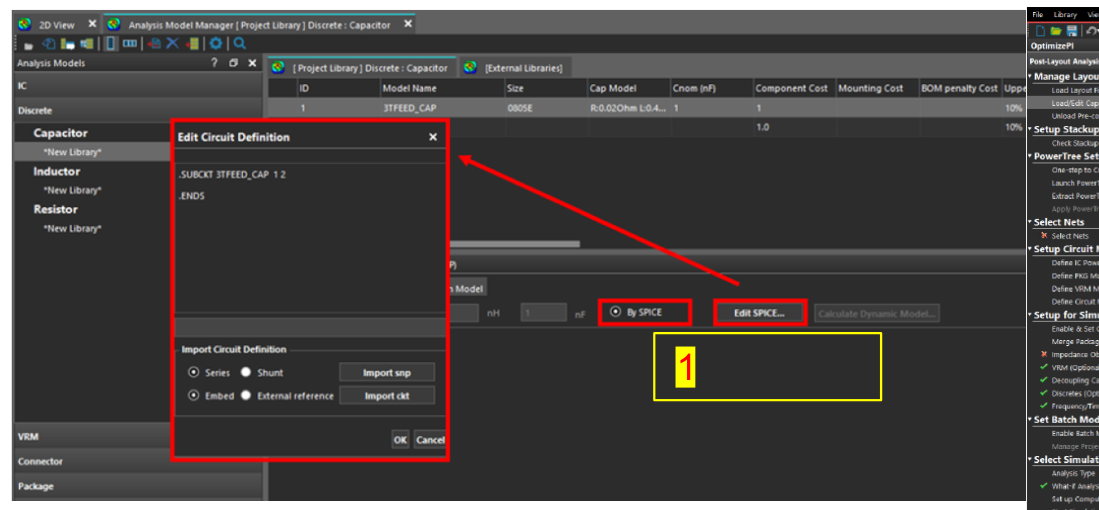
- 在
Capacitor > Capacitor Modeltab 中選擇By SPICE,再點擊Edit SPICE。此時會顯示Edit Circuit Definitionwindow。
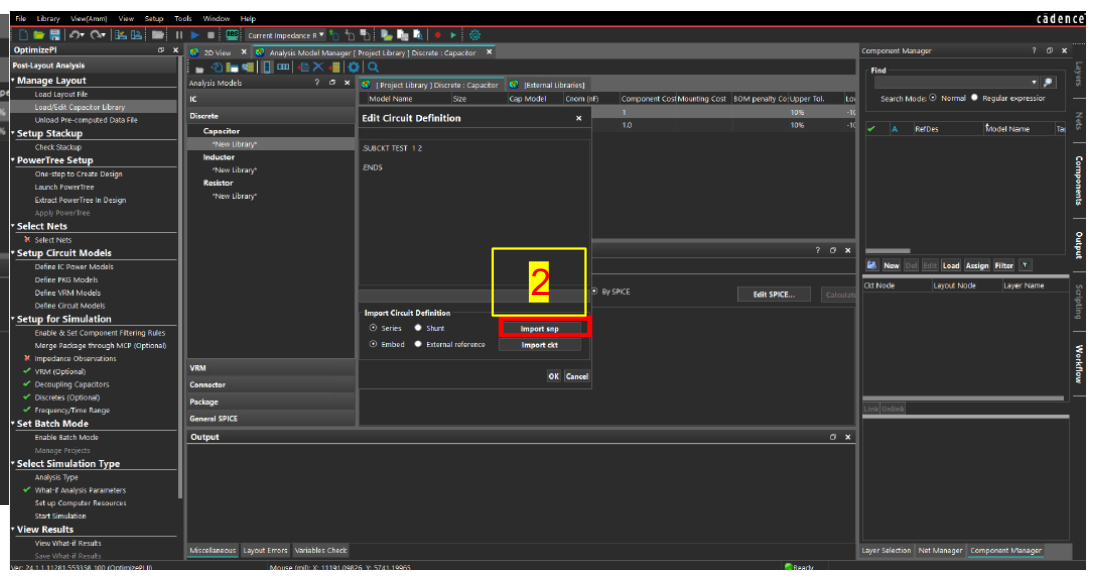
- 選擇
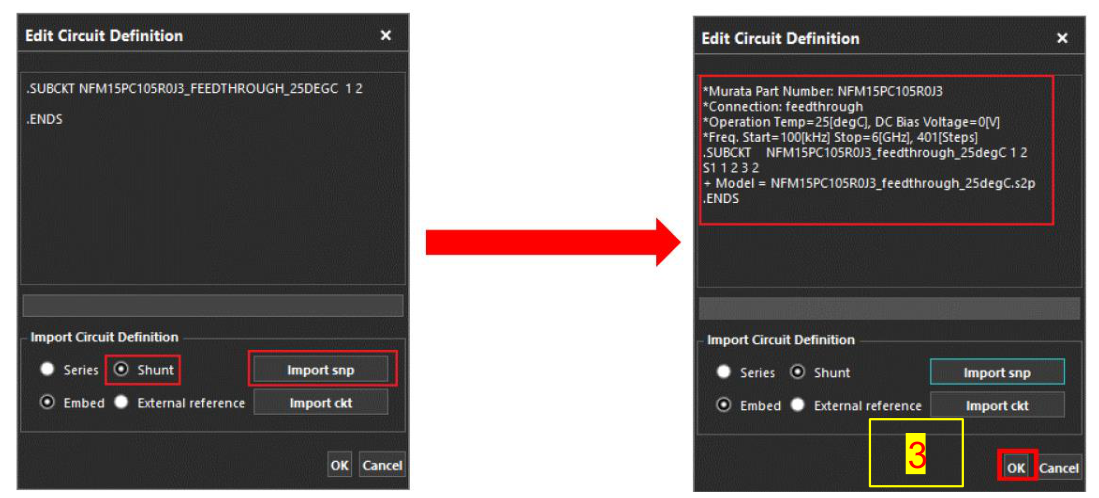
Series或Shunt,再點擊Import snp。瀏覽至 S-parameter model file,並 double-click。
- 此處以 shunt capacitor 為例。點擊
OK後,即可將 model 指派給 library 中的 cap。
Missing Capacitor model search
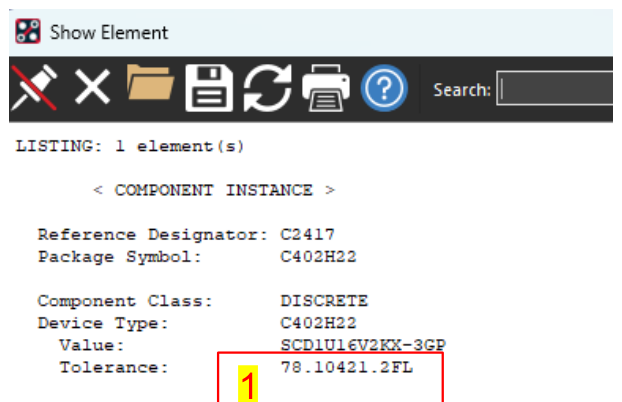
- 在 board file 中搜尋 Cap,並記下 Tolerance Value
78.10421.2FL。
- 前往
https://plmportal.wistron.com/new/part-spec-query並搜尋 part number。
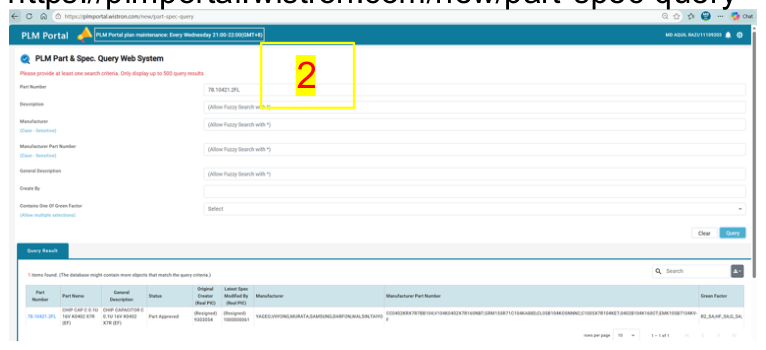
- 取得 manufacturer part number,例如
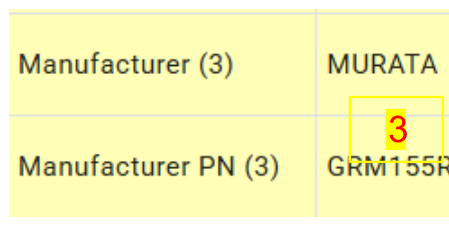
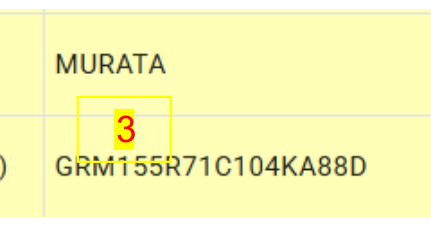
GRM155R71C104KA88D。
- 在
SimSurfing: Multilayer Ceramic Capacitors - Murata Manufacturing搜尋 component。 - 下載 cap model,加入 cap library。
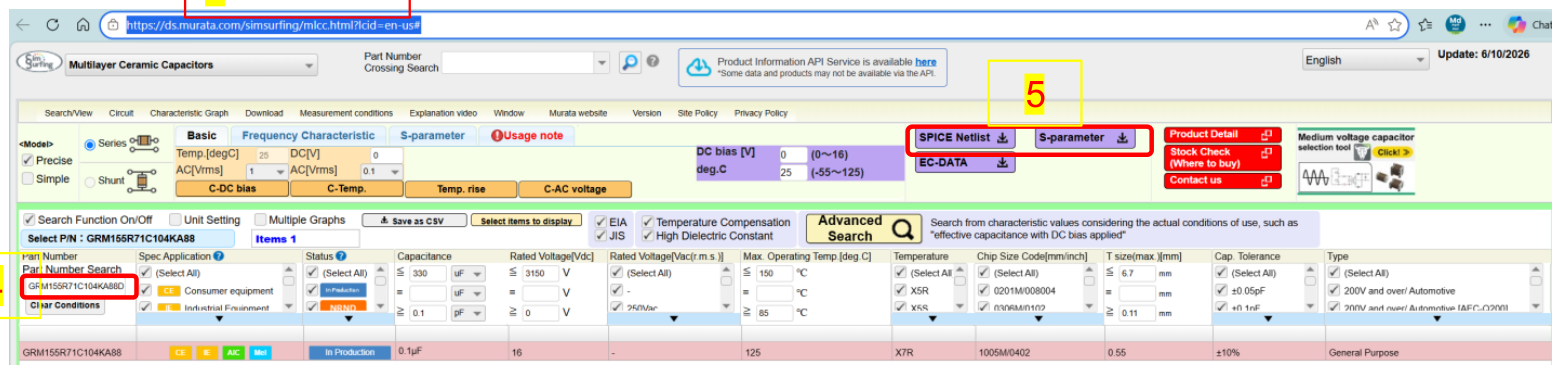
Cap model download link:
- Murata:
https://ds.murata.com/simsurfing/mlcc.html?lcid=en-us# - Panasonic:
https://industrial.panasonic.com/ww/products/capacitors - Yageo:
https://yageogroup.com/products/Capacitors/part